You can see all of your application submissions and keep track of the statuses in one place by creating a profile.
To create a new profile:
1. Click here to create a new profile. 2. Enter a username, email, and password. 3. Click Register.
To login to your profile:
1. Click here to login to your profile. 2. Or click the My Profile link located in the navigation bar top right.
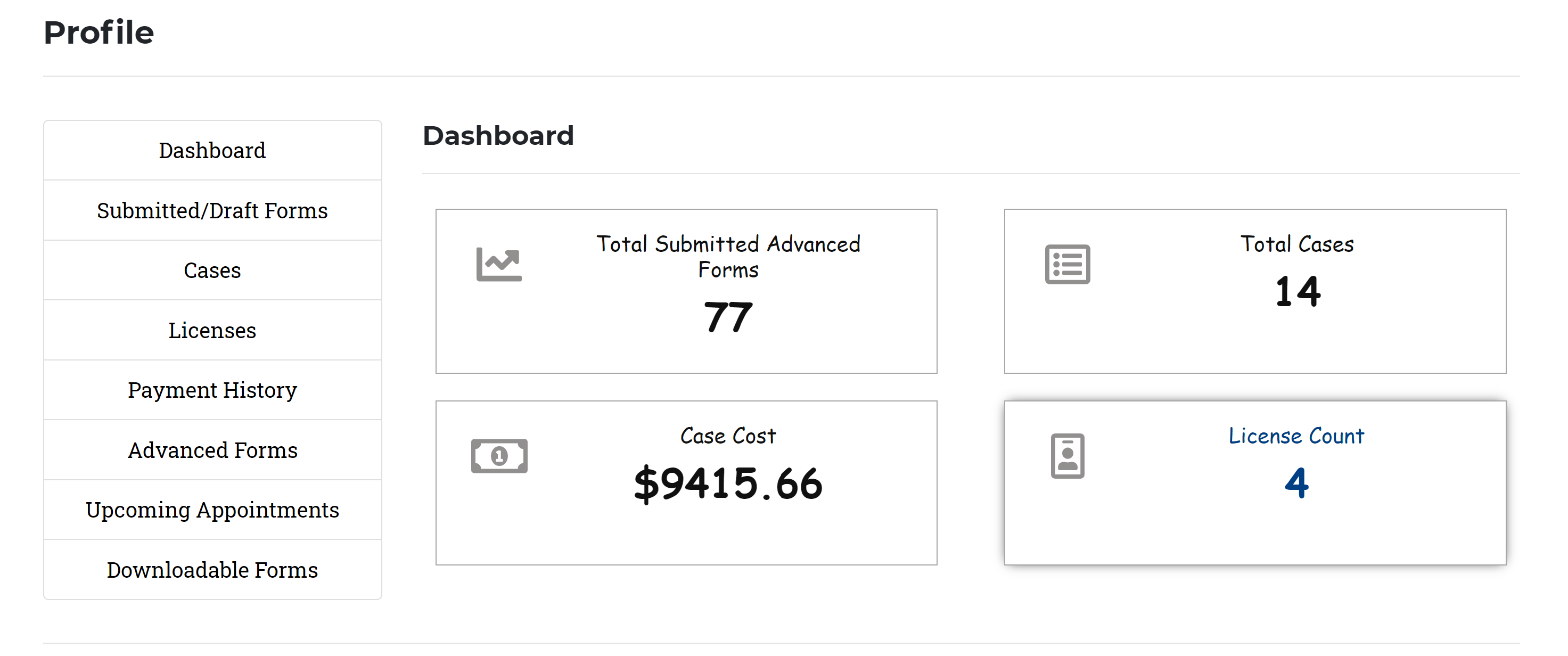
To navigate the Profile Dashboard:
View Your Status in the Profile
To add or update your profile information, click on the Profile Details link.
To look at any submitted or draft forms or applications, click on the Submitted/Draft Forms. (Yes, you can save an application or form and come back to it later!)
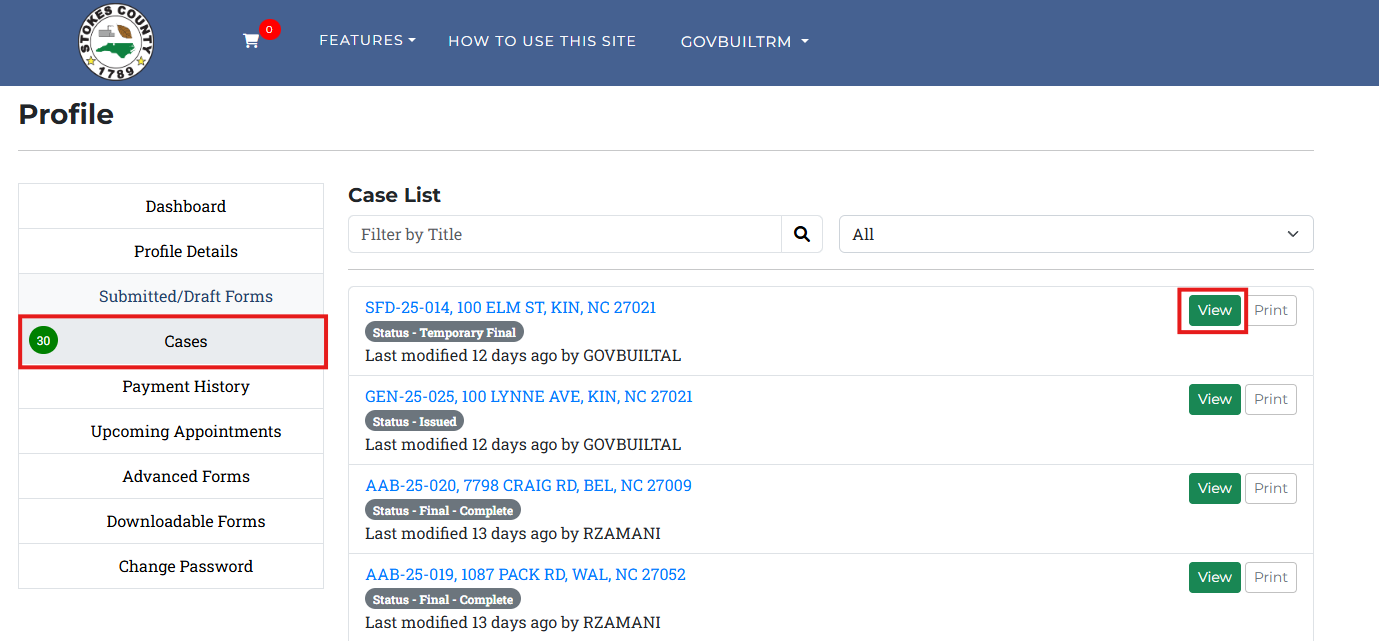
To locate applications you have submitted and view their status, click on the Cases link.
To view your payment history on any application you have submitted, click the Payment History link.
To view any scheduled appointments you may have with Stokes County staff, such as an inspection, click the Upcoming Appointments link.
To link back to the agency’s online forms page, click the Advanced Forms link.
To link back to the agency’s available downloadable forms, click the Downloadable Forms link.
To change your password, click on the Change Password Link.
Communicate Online
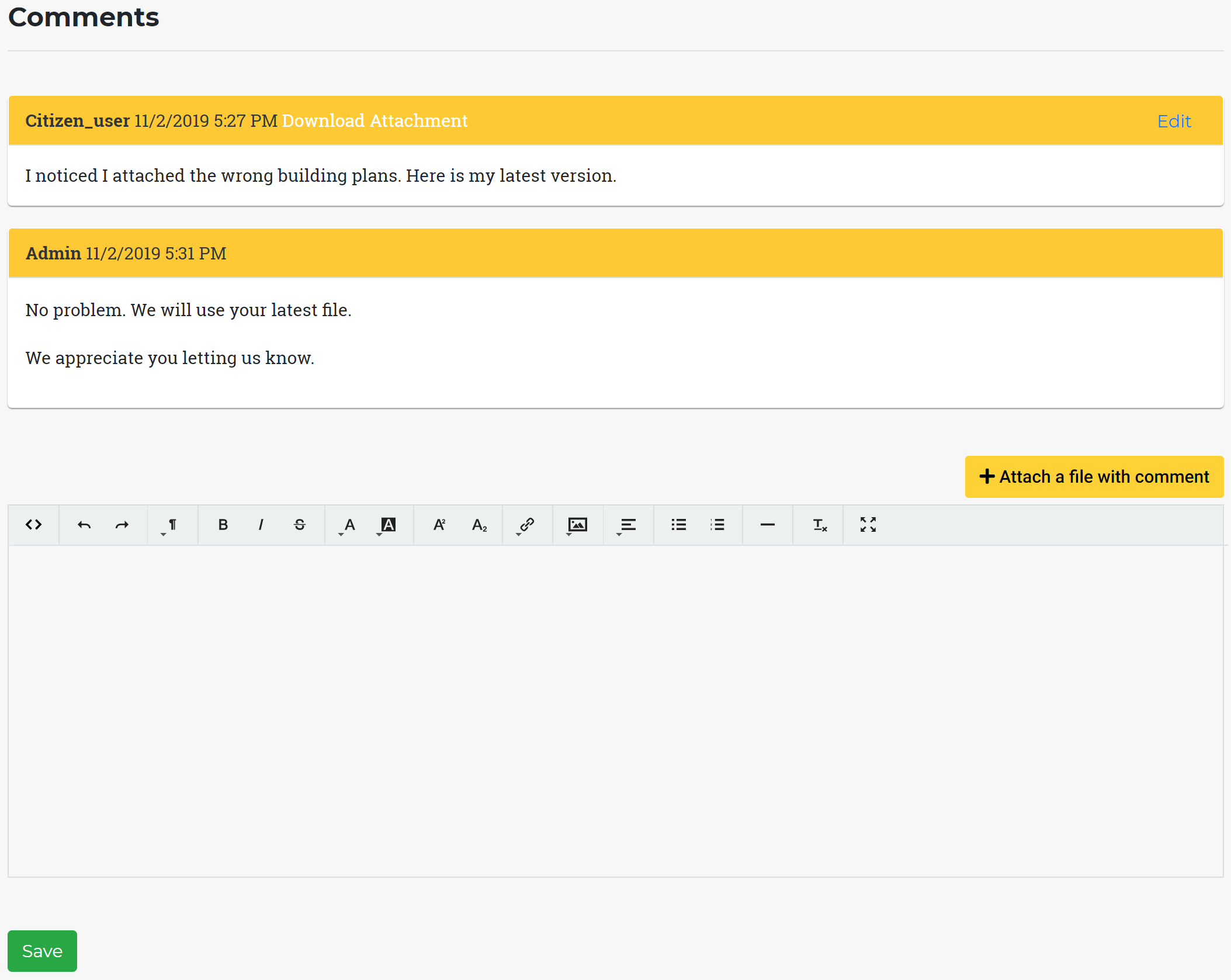
Have a question on the status of your application, forgot to attach a file, or need to make corrections requested by Stokes County staff? No problem. You can add a comment on your submission and upload files.
Communicate Online Instead of Waiting in Lines
To view Staff comments or to send a comment or upload a file to a submitted application or form:
1. Click on the Profile link provided in your submission confirmation email. OR 2. In the Profile Dashboard, click the Cases link. 3. Select the applicable Case Number from the Case list and click View, then click on Comments.